
Altay: Dawn of Civilization
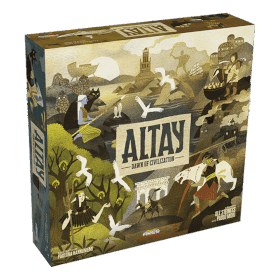 帶領Altay的一個古老民族,迎接人類定居者來到你的祖先土地。
在擴張你的王國、培養知識、建造紀念碑或擊敗敵人的過程中,決定是接受他們的創新,還是堅守古老的傳統。
《Altay: Dawn of Civilization》是一款牌組構築式的文明遊戲,背景設定在神話時代。在廣闊大陸上的一個隱密區域,四個神秘種族歷經無數年孕育出獨特文化,彼此維持著脆弱的平衡。如今,他們正面臨新的挑戰:人類開拓者帶著先進的技術與武器湧入。
作為 Altay 四大古老種族之一的領袖,您可以自行決定如何應對這項挑戰。
游戲棋盤描繪了一個四個派系發生衝突的區域,每個區域都有不同的地形類型和資源。
玩家控制四個派系中的一個,每個派系由一個獨特的起始牌組代表,其特徵是「基本」牌和派系特定牌的數量不同。
在每個回合中,玩家利用手中的卡牌來獲取資源、建立新的定居點、在棋盤上拓展地盤、針對對手採取策略行動,或者獲取新的卡牌來擴充自己的牌庫,這象徵著古老民族與新來者及其技藝的融合。
玩家人數: 2 - 4
遊戲歷時: 76 mn
複雜度 3 / 5
在線上玩 Altay: Dawn of Civilization 以及 1408 款其他遊戲。
無需下載──直接用你的網路瀏覽器玩。
與你的朋友以及全世界成千上萬的玩家們。
免費。


在線上玩 Altay: Dawn of Civilization 以及 1408 款其他遊戲。
無需下載──直接用你的網路瀏覽器玩。
與你的朋友以及全世界成千上萬的玩家們。
免費。
規則摘要
Starting Decks
- Earthfolk: Colonist, Digger, Hunter x3, Village x2, Warrior x3
- Elvenfolk: Hunter x5, Loremaster x2, Village x1, Warrior x2
- Firefolk: Hunter x3, Shaman x1, Village x2, Warrior x4
- Smallfolk: Craftsman (Lumber) x1, Craftsman (Stone) x1, Hunter x4, Spellweaver x1, Village x1, Warrior x2
Game Turn
On your turn, you may play the action cards in your hand or use the effect of any card you previously played on the table. You may perform any of the activities below in any order you want:
- - produce resources
- - acquire new action cards
- - build settlements
- - combat
- - develop achievements
Acquire New Action Cards
- - You cannot in a single turn acquire the same action card two times.
- - Note that some of the action cards have a greater cost then the rest of the cards. This is because they are worth 1 VP at the end of the game as indicated in the upper left hand corner of the card.
Build Settlements
You can build Settlements:
- - in a territory with one or more of your Settlements (up to a maximum of four), or
- - in a free territory (without a Conquest Marker or opponent's Settlements) adjacent to at least one territory with one or more of your Settlements
Combat
To initiative combat, you must use at least one card from your hand that depicts a red sword icon (⚔️). You cannot attack a territory that has no Conquest Markers or enemy Settlements on it.
Attacking a Neutral Territory
A neutral territory is any territory that has a Conquest Marker on it. Select a territory adjacent to the neutral territory that contains one or more of your Settlements. Discard cards with the sword icon until the sum of the Settlements in a single adjacent territory and the number of sword icons on the cards you discarded exceed the number on the Conquest Marker. Collect the Conquest Marker. If the Conquest Marker depicts a resource, you will immediately produce one resource of the depicted type.
Attacking an Opponent
To attack an opponent, select a territory on the board where you have at least one Settlement and an adjacent territory with at least one enemy Settlement that you want to attack. Discard one or more cards with one or more sword icons on it. Sum up the number of sword icons you have discarded and the number of Settlements of your territory. That is your attack strength.
Surrender or Fight
If the attacked opponent surrenders, they automatically lose the combat. They can choose to discard one or more cards from their hand, up to the number of cards played by the attacker.
If the attacked opponent fights, they can play as many cards with a shield icon from their hand as they want. The defender's strength is the number of settlements in the defending territory plus the number of shield icons on their played cards. The player with the lower strength loses the combat. In the case of a tie, nothing happens.
Aftermath of Combat
The losing player must remove one of their settlements in the involved territories and give it to the winning player, which will be used in the final scoring.
At the end of the combat, the defender refills their hand, drawing one card from their deck for each card they played or discarded (regardless of whether or not they won the battle).
End Game Trigger
The end of the game is triggered when either of the following happens:
- - a player places their last Settlement
- - a player has no Settlements on the board
Should either of the above conditions be triggered, play until the end of the round so that all players have had an equal number of turns. The game is then over.
Victory Points
- - VP value of each developed technology; VP value of each developed wonder (up to a maximum of 7 points), plus 3 VPs if the player completed their secret wonder
- - VP value of the action cards in the player's deck
- - 1 VP for each territory with at least one of their Settlements, plus the value of the VP marker in that territory, if present
- - 1 VP for each captured opponent's Settlement
- - 1 VP for each 3 points of captured Conquest Markers (sum their value, divide by 3 and round down)
The player with the most VPs is the winner of the game. Break ties using the scores in categories in the order indicated above (that is, technologies first, then wonders, and so on).
FAQ
1. Why can't I archive my card with Writing?
You will be prompted to archive your card at the end of your turn.
2. How can I view my discard pile?
You can look at your discard pile by hovering your mouse over your discard pile (the grey icon) on the side. Note that you can only view your discard pile on your turn.